Showing posts with label Internet. Show all posts

Monday, April 13, 2009

The joys of being a POSR

Nope… not a mis-spelling – that’s POSR, as in Punch Out Setup Request.  As part of this current set of postings on cXML and the magic that is eCommerce that’s the subject dujuor.  The totally awesome and completely cool … POSR.

Now, a POSR is probably the single most important part of the eCommerce step by step.  It’s what authenticates and allows and online catalog to be sent to you. 

Here’s what one looks like  courtesy of www.cxml.org

The first section of a POSR handles the Doctype and how to handle the document…

<?xml version="1.0" encoding="UTF-8"?>
<!DOCTYPE cXML SYSTEM "http://xml.cXML.org/schemas/cXML/1.2.020/cXML.dtd">
<cXML payloadID=1233444@ariba.com   timestamp="2000-03-12T18:39:09-08:00">

Now the grey line up there has the doctype and you can put all kinds of good things in there but what I’m showing here is the most important part – the DTD.  With this badboy you can write an app that will allow you to validate all your cXML and make sure it works, using some very simple XML routines and a few free tools available on the web. 

TIP:
You can – also find xml validators that can read the DTD – but many will choke on this line.  XML Notepad for example is designed for pretty much XML only and not cXML, and will choke.  The same thing goes for some browser based viewers.  If that’s all you’ve got to view xml – remove this line and you’ll find it’ll load the file fine.

Anyway, you can use the DTD to learn a lot about what’s wrong with any cXML that you’re given (or that you create) by validating it against the DTD.  So if you’re not – do so.  It’ll save you weeks of headaches.  This is especially true if you’re dealing with SAP or some of the Oracle solutions out there that like to write their own versions of cXML, or worse let you output in any fashion you want without telling you there are rules to how cXML is processed. 

<cXML DTD and  Consultant Rant Begins Here>
I would say 80% of the work I’m currently doing is on telling people how to validate their cXML, and fighting with people who tell me, “But we work successfully with dozens of vendors doing it this way…”.  That may be the case – but cXML has rules, and it doesn’t matter how anyone else works – if you’re outputting to cXML you follow it’s rules or you pay.

The reward for following the rules is that if you do have a valid document – cXML is as stable as a rock, and your cXML will process like cannonball from a cannon.  So it is worth the effort to do it right, even if your “consultant” tells you it’s not necessary.  (Clue – if your “expert” tells you it’s not necessary to follow a standard… slap them.  They either don’t know how to follow the standard, have been told by a software application advertisement it’s not necessary, or something but the bottom line is – they don’t know.  I’ve seen a rash of “consultants” who claim this standard or that standard isn’t needed.  It usually is – and the only reason why they don’t or they won’t use the recommended DTD standard is that they assume what they’ve been told by articles or others who are not familiar with them, that a DTD is basically the same thing as an XSD schema.  

They hold many things in common, and often have a degree of interchangeability – but there is a reason why a DTD and an XSD exist and we don’t just use one or the other.  The subtle nuances in how they work allow them to perform different degrees of use for different types of uses.  For cXML the DTD is the model you need to be using, and one of the reasons is that certain required fields within the cXML DTD file enforce rules needed to make cXML work efficiently and correctly.  When consultants try to slip around these rules, or try to get loose with the rules – it may work fine on their local system, but when they try to connect to anyone else, it becomes costly and time consuming.
</End Rant>

Before move on, it’s important to point out one thing in the DTD.  DTDs are versioned.  Each version has it’s own requirements and rules.  If you find that you’re not validating – check the version which you’re validating against – it does make often a very big difference.  You can read more about each of the versions, and get copies of them at www.cxml.org.

So… let’s get back to the POSR.  What this does is it handles the hand shaking between the customer who is “Punching Out” to the vendor who has the catalog of goods that they will punch out to us.  Now the concept of the “PunchOut” is very simple.  A customer may have a massive catalog of items, but we don’t want all of them, or we may have rules regarding certain items in the catalog.  (Joe the Janitor probably isn’t allowed to buy the same things that Victor the V.P. does at a company.)   This can be controlled by the catalog that is “punched out” to the customer.  And all of this – begins with the POSR, where we authenticate not just the company but often the employee at the company who is requesting access to the catalog. 

This is done at the header of the POSR.  Here’s what a header looks like:

<Header>
        <From>
            <!-- Supplier's identity -->
            <Credential domain="NetworkID">
              <Identity lastchangedTimestamp="2000-03-12T18:39:09-08:00">AN01333333333</Identity>
            </Credential>
        </From>
        <To>
            <!-- BCE's identity -->
            <Credential domain="NetworkID">
                <Identity>AN01222222222</Identity>
            </Credential>
        </To>
        <Sender>
            <Credential domain="AribaNetworkUserId">
                <Identity>admin@ariba.com</Identity>
                <SharedSecret>bce's shared secret with AN</SharedSecret>

            </Credential>
            <UserAgent>Ariba Network v20</UserAgent>
        </Sender>
    </Header>

The area you need to pay closest attention to is the one that reads “AribaNetworkUserId”, which I’m going to break from things here and point out that cXML is a standard developed by Ariba, and so – you’re going to see a lot of cheerleading for them in it.  But you will probably have to change this for some eCommerce companies who… ahem… have competing products.  But what you should never deviate from – is the use of a ID and SharedSecret.  These will generally be supplied to you – from the vendor doing the punchout.  These are the most important part of the punchout.  Without them… you won’t authenticate, you won’t get a catalog and you will most definitely not pass go and collect $200.

Now if you’re familiar with earlier versions of cXML you’ll note that up in the Suppliers Identity – there’s a lastChangedTimestamp and you may not have seen that before.  The truth is cXML (even with all those DTD rules) is very flexible.  And you can actually put in your own Identities in this section so if your internal cXML processor needs other names to identify it – go to it.  I’ve actually seen cXML where there were up to 15 Identities here.  So long as the Identity that you and your vendor have agreed upon is in here amongst the others you can get pretty creative and this is a good place for you as an organization to make use of multiple identities.

The next part of a good punchout setup request is … the request itself.   It contains a cookie, and if you have to do debugging something really handy… the BrowserFormPost.  If you can locate this you can discover exactly here it originated from – and often this can help with network an connectivity issue resolution.  So – keep track of that. 

<Request>
    <ProviderSetupRequest>
        <OriginatorCookie>c546794949</OriginatorCookie>
        <BrowserFormPost>
             <URL>
http://service.ariba.com/returntome</URL>
        </BrowserFormPost>

        <Followup>
             <URL>http://service.ariba.com/laterUpdates</URL>
        </Followup>
        <SelectedService>BCE.Edi</SelectedService>
        <Extrinsic name="user">
           <Identity>user234</Identity>
        </Extrinsic>
        <Extrinsic name="url">
           <URL>
http://service.ariba.com/anotherurl</URL>
        </Extrinsic>

    </ProviderSetupRequest>
</Request>

Also up in there… are the extrinsics.  Now I’ll let you in on a secret.  Most of the stuff you see up there?  Look up in the DTD – you’ll find a lot of it is not required.  Remember that rant on DTDs I had up above?  The DTD – will tell you exactly what fields are required and which fields are optional for cXML.  Now, some vendors may have rules over and above those – but the DTD is core.  It speaks – the world listens.  So – check to see what you need and what you don’t need. A good rule of thumb for efficient processing is that if you don’t need to be sending  it – don’t.  All that does is make the systems on the vendor’s end have to read through it and figure out if it’s needed or not.

Put into a cXML document only those things you absolutely need for the best performance. 

And that leaves us to the last part about the POSR… the closing tag. 

</cXML>

I won’t go into a rant over tags here – but I will say that a well formed document with complete tags is essential.  Don’t get sloppy.  cXML is not forgiving when it comes to tags.  It’s not chopped HTML where an unclosed tag will let it slide through.  It may work on your system – but validate, validate, validate. 

Get a tool which handles DTD validations, or roll your own.  Either way – validate your stuff.  If you use a tool like SAP or Oracle, find out how to get your output – even if you have to get it from the server logs and validate that.  Make sure the application you’re using actually does churn out valid cXML if you’re sending it to a vendor.  The time you save on that one chore – may save you weeks of arguing back and forth which of you has the problem.  Don’t just assume your cXML output is good – KNOW it’s good because with the flexibility in some tools that I’ve mentioned it will actually let you create very bad cXML that no one can run no matter how forgiving their system is.

Well this is a larger post than I meant – but I’ve been behind on my postings… so seemed I should make up for it here.  Next we’ll look at the PunchOutSetupResponse (the return to the POSR) – the OrderRequest and the POOM.  (Yeah, yeah… I can tell you’re all shaking with anticipation.)

See you next week.

Monday, February 16, 2009

Grumblings from the field…

In a bit of a hurry this morning so this’ll just be a cap up of what’s going on.

The Job Market in the Pac Norwest for software development and IT has definitely taken a blow – but there’s still a lot of work out there.  I still receive about 4 or 5 job requests per week (my resume is unusual as I have job skills that are uncommon).  But most of these for the last three weeks are not ones I’d really look into unless the economy is bad.  The practice of sending out contact emails for positions with unrealistically low or unrealistic job requirements (usually both) for the purposes of being able to say, “We couldn’t find anyone here in the USA qualified” is still pretty rampant.  I’ve seen about 6 of those in the last month.  (When was the last time you saw an honest request for a Program Manager with a background as a Sr. Developer with 10 years experience for $25/hr??  Yeah – they seriously want to fill that position.)

It’s insulting and disgusting that companies will go to that length to justify hiring outside the US, and it’s more annoying that the offers come from respected legal and recruiting firms.  I won’t say who I’ve seen use this the most – however you might be surprised their one of the longest and major supporters of Open Source software and similar initiatives.  I’ve said it before that one of my core dislikes of the OSS community is it’s naiveté regarding the fact that their largest supporters exist because they’re too cheap to pay for software and have always felt software had no value.  It becomes pretty obvious when a companies true motivations for greed and being cheap are so thinly veiled behind the cloak of “We’re one of the good guys!”. 

Let’s face it – if you’re not making your money off the development of the software that people use, then you have to be making it off the process of selling it or supporting it.  In a model such as that the guy on the low end of the totem pole will always be the guy who created it in the first place.  They are the ones who’s efforts are not perceived as having value because it’s their efforts they place as having little or no cost associated to them.  (If you’re not charging anyone for the hours it took to develop  product – which is where that model places the cost recoup at – then the developers and creators are effectively valued at ‘zero cost”.)

So where do these companies place value?  They place it on the management end of things and the sales end of things.  The sales of the software, and over a long term the sale of the software support, or the sales of the software as a service.  Bottom line – the jobs they really care about are managers and sales people.  For the people who come up with the software, who spend the hundreds and thousands of man hours to code it to test it and to bring it to life?  Well, they’re a necessary evil – one which if they can find anyone to do it cheaper – they will.  Which is why yes… they do send out emails to people here in the USA looking for jobs, people they’ve often

laid off or let go, giving unrealistically low, or unrealistic job requirements, or in some cases just bizarre job requirements, all so they can be turned down.  They can then go before the US Congress and Senate and say, “We looked for people here in the USA for these jobs – but there aren’t any who meet the qualifications!  Can we go overseas and get them without losing our tax breaks???”. 

The HR departments of these companies can sign up for (and line up for) classes to learn how to do this.  And this doesn’t burn you up – the fact is this is not the “American Job” vs “Overseas Job” issue that drives this, and those probably hardest hit are – as incredible as this may seem – overseas wokers.  Overseas, in places like Hyderabad, Beijing and the former Soviet Republics you’ll find the amount of fraud based job services there is a full blown industry not all that different than Coyote hustlers that tell immigrants they can sneak them through the American border but take their money and leave them, often with no hope of survival.   Now, if you say, “Hey we’re cracking down on these bastards”, I’d like to point out – they busted 11 people and companies.  11 of them is not even a band aid on this gaping wound.  11 busts isn’t even lip service to the literally billions being spent on this.  The fact is that as long as it’s profitable for these companies to treat the people who create products you use like dirt (and for many of us – that person is us) they will continue to do so. 

So – hey – support the open source movement - make software free to everyone.  It is after all, just someone's idea – it’s not like has value right?  Anyone can do it, and with the right sales model we can recoup the loss by selling maintenance, and services.  While you’re at – you may want to head down to Walmart and buy a nice coat made by children overseas to keep warm in on that unemployment line.  Just some food for thought. 

Tuesday, November 25, 2008

Whats wrong with Google? How the “special sauce” leaves a bad after taste.

I did a search on Google yesterday off my cell phone and got back a handful of weeks, and in some cases months old results.  Nothing surprising there.  So I fired up my web browser – did the same search and got back a dozen fairly good results.  Then I did the same thing with Live Search on both my cell and my browser.

Believe it or not – I find myself using live search more and more.  Google, the old standby for so many things, has to me become a very commercialized and highly productized set of listings that don’t show me what I want when I want them.  Ironically, Live (which I fully think is going to do the same thing eventually for reasons I’ll explain later) seems to be better for not giving me “canned” results.

Anyone remember the “old” internet?  Back in the days when Google was that scrappy up and coming search engine that could find you anything you wanted?  Back when you’d type in “Madonna and Child” and not get listings for the last 3 bad albums or porn sites and instead you’d get a link to a useful story?  Back when instead of getting some Wikipedia entry that may or may not be accurate you’d get links to papers submitted and reviewed at Universities and works out there that actually had some merit?  Yeah, me too.

What we get now is something that’s been shoved through Google’s “special sauce” which gave us the decent search results.  This is good but the problem is that what the Goog’s been cooking up is only as good as it’s ingredients.  The ingredients are being tainted like bad chili by SEO specialists.  These are people that know how to get a page ranked higher – specifically on Google.  Part two of this is also that once the chili is “cooked” it is also vetted by Google’s multi-billion dollar a year advertising program.  So that whatever we search for is sorted in preference based on whatever advertiser has had the SEO juice to flood Googles special sauce with whatever spices are needed to make their results come higher in the list, and again by the usual “paid results get higher rankings” thing.

Don’t get me wrong – I have no issue with Google trying to make money.  I have no issue with anyone trying to make money.  Making money is a good thing.  But you can’t make money if you’re not providing a service which people will use.  Currently many people are moving away from Goog to Live and other search competitors.  This is due in large part because they aren’t getting what they need from Google.

What’s the Goog doing to try to fix this problem?  A lot.  They’ve got people working on the Special Sauce every day to remove these SEO artificially injected ingredients.  But the fact is once you go commercial you can’t go home again.  Just as Microsoft’s #1 real security problem is they own 95% of the desktop market – who wants to code exploits for only 5% of the market or less?  Googles search woes are owed to the fact that they’re the big dog of search.  Google will be faced with these cooking marauders as long as their the top dog in search.  Each time they “fix” the problem – someone will change the ingredients on it again and again.

Live being down on the list isn’t faced with this problem quite so much.  They also have a different approach to the way to they deal with the problem.  They have the advantage of seeing where Google’s method isn’t working so they don’t have to rework an existing model.  They have created completely different models of search technology that take into account SEO modifiers that outsiders use to adjust things.  It’s by no means perfect, but of late I’ve found it’s as good or better than the Goog. 

Time will tell if this pays off for them, but for now, I and many others are taking advantage of their approaches to get us the information we need without the bad after taste of excessively adjusted SEO results.

Tuesday, November 4, 2008

Consulting Tips – more notes from the field…

In keeping with posts for those who want to start a consultancy – I asked consultants on several forums what they considered were “Must Haves” to be consultants.

Mind you, most of these people travel (a lot) so there’s a section here for just travel needs. 

On the professional side of the house – your professional needs – you had the more common items.  Business Licenses – which many states have not just a requirement that Consultants be licensed, but also they have additional State and in some cases local taxes for that profession.  Some also require that you have Professional Liability Insurance as well – so check your state to make sure you have that covered.

They also reminded me of the need to actually have contracts on hand – something that when a client is ready to sign on the dotted line, you can have them sign on the dotted line.  Some pointed out they need not be physical contracts – you can always print one up a at a Kinko’s.  But talk to an attorney about getting a good basic contract for services that you can fill in the blanks for (generic standard form) and if you offer a specific service which requires additional language often enough, have them draft up one of those as well.  No one specifically mentioned an attorney but you get the impassion it’s not a bad idea to swing by one and get their take on your business as well.

One thing they all do seem to agree on and I second – is that you find yourself an accountant, or at the very least really good accounting software and learn how to use it so you can hand that over to an accountant for taxes.

Next came another lesson I found interesting – get several bank accounts and use them for their purposes.  A Business account for day-to-day business activities.  A Savings fund for “rainy day” and “misc” unexpected expenses that come up.  A second savings fund for taxes (you may as well earn interest on it if you have to pay it to IRS).  A personal account for you – and place 10% from every check in there.  That’s yours, once its in there – pretend like it doesn’t exist.  Don’t touch it – don’t think about touching it – once every so often, you should take that and roll it into a 401k or other plan for your retirement.

  • Professional Needs
    • Business and Professional Licensees 
    • Contracts (Standard form and Specific Clause)
    • Personal Insurance
      • Health
      • Life
    • Professional (Consultant) Liability Insurance
    • Accountant (or Good Accounting Software)
      • Way of calculating and handling taxes
    • Bank Accounts:
      • Business Account
      • Business Savings Fund 1 (Misc)
      • Business Savings Fund 2 (Taxes)
      • Personal Account Savings (Bonus/Benefits

Next, we ran into suggestions for Business Needs – specifically equipment.  A good laptop and a desktop – and make sure you set aside a small budget to buy yourself a new one every 18 months was a really great tip. 

Cell Phones were next.  Some said Blackberries others iPhones, Win Mobile… bottom line – any good cell phone that can keep you in touch with your mail.  But a very very wise consultant also tossed this one out as a great tip.  For about $30 you can also get a pre-paid phone and for about $5 a month he keeps just enough minutes on it to keep it always ready.  Get one – keep it and it’s charger in your luggage.  If you lose or damage your regular cell – you’re never without one.

Home offices everyone had suggestions – but the most common is to have at least a quiet room you can work from and take calls.

Presence was another area people had opinions on, some said a blog was all they needed, others said they had a fully professional website.  Still others just a page, a blog, and so on. 

Here’s my take.  For $15-45 a month you can get yourself a nice website and have your own domain and your own email address to that domain.  (Office Live can even get you started for free – and move everything over to a paid site. The free site comes along with project and document repositories you can share with customers and coworkers and clients even).  I personally pay about $39 a month for mine and I never use half of it’s features. 

One feature I do use – and I use a lot is the Online Shared Folders.  I often back up my most recent work there.  Anyone who’s ever lost a laptop – had something crash and burn – knows that losing what you’re working on is harsh.  Do that 1,000 miles from your back ups and at a customer site is devastating. 

Skydrive is free and you get 5 gb.  There are dozens of other locations out there.  Windows Live Mesh is a personal savior to me.  Between that and Skydrive and my Office Live folders I’ve got a good 30 gb stored in the cloud that can never be destroyed and I can access from anywhere – even an Airport Kiosk. 

Your presence is who you are as a company.  Put the money out and do this right. 

Next… here’s a blast from the past.  Business cards.  Put your name, put your email, your phone and your web address on it.  Nothing else.  No titles.  Keep it professional and simple.  People do keep them – and people DO remember you when you hand them out.  Simple cards like I mention here you can get from Overnight Prints or other Web printers for 250 for $10-12. 

Next part of your presence is your online identity.  Google yourself.  If you don’t like what you see – then get rid of it.  If you have a myspace page that you wouldn’t share with a customer – get rid of it.  I don’t care if it is your “personal” space.  Clients and customers may see it and they won’t care if the reason you were stripped to your underwear singing LaVida Loco was at a college party 10 years ago. 

Scrub your own google records.  Or accept that someone else will.  Some people have the opposite problem you google them and there’s nothing.  SO – get that website up.  And while you’re at it hit the rest of the social network sites and build up a presence that speaks well of you.

We’re talking LinkedIn, Facebook, and some other professional sites.  I would avoid MySpace and similar sites like the plague as in my experience they’re hard to maintain.  By “maintain” – I mean this – if you go out to blogger or wordpress and create a blog (seperate from your web site) you can then use the RSS feed from that blog to actually feed your blog postings to many social websites at once.

This particular blog entry will feed Facebook, LinkedIn and 3 other sites I’m on.  I post once… and I’m updating 3+ web presences.  Kind of like being your own personal syndication system. 

And since we’re mentinoning LinkedIn, there are now an abundance of “professional” boards out there.  Xing, Ning, Ling, Ting, Ping, Pong, you name it the list goes on and on.   Pick the ones you actually want to participate in and do so.  Spreading yourself too thin is a mistake. 

One thing you may want to do – is open a PayPal account to do on line transactions. 

Many online freelancer sites work with PayPal so if you’re going to doing any work from them – I’d suggest you have one.  You may want to look into some of these as they’re not bad places I’m told to get bits of side work. 

I found LimeExchange, TechRepublic and Guru.com to be fairly good places.  Nothing I’d survive off of – but there is work there. GetAFreelancer.com seems to be over run with competition that is questionable at best … and always willing to bid at minimum wage or lower.  Just my experience – your actual mileage may vary.

  • Business Needs
    • Equipment & Supplies
      • Computer
      • Cell Phone
      • Cards
    • Office (at least a quiet room)
    • Presence
      • Website
      • Email
      • Blog(s)
      • Shared Folders
      • Cards
      • PayPal
      • Accounts with OnLine Providers
        • LimeExchange
        • TechRepublic
        • Guru
        • Others (GetAFreeLancer)
      • Social Networks
        • LinkedIn
        • FaceBook
        • (Xing,Ling,Ning,TheLadders…)

Lastly we come to Travel needs for a consultant.  Every good consultant needs a passport. It’s an official 2nd form of ID, it’s needed for travel and in general it’s handy to have and kinda cool.

You may not be traveling to Brussels – but instead to the suburbs so make sure that you have a travel budget.  Set aside enough cash as you build your business so that you at least have enough cash to pay for regular car maintenance for your vehicle and 1 tickets air fare to somewhere.  (Use it for a vacation at the end of the year was a great tip someone mentioned.)

Get an emergency credit card – basically a card that has a very very low balance on it (paypal was suggested by one person).  If you don’t like that – it was suggested that you always keep $300 cash in your suitcase.  Basically the idea is always have that ready in case of an emergency.

The same goes with a spare change of professional clothes (most said they just kept them in the wrapping believe it or not).  And with the rest of the back ups they also said to make sure you have spare chargers for any devices you depend on a lot.

  • Travel Needs
      • Passport
      • Travel Budget account (1 trips worth)
      • Car Service (Regular Maintenance)
      • Decent Luggage
      • Emergency Credit Card(s) ($300 limit)
      • 1 Set of Spare Clothes (Unopened)
      • Backup Power / Cables for any equipment (Laptop, Cell, etc.)
      • Throw Away Cell Phone

Friday, October 24, 2008

Ina Fried, Larry Dignan, what a way to go…

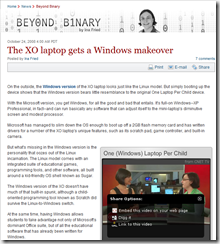
CNet did a few bits on Windows on the OLPC.  Which is great for those of us who worked on making that happen.  So… without any further adieu… here’s where you can find these gems.

image

I think Ina’s comments were pretty fair and right on track.  Obviously – Sugar’s something that is very cute.  There are criticisms that its more of a suped leap frog under Sugar – which is also unfair.  Sugar, for what it’s designed for is very good.  But keep in mind Sugar is not meant for taking a child much past a very early learning level.  Constructionist learning is a good starting point.  But to me, it’s really not a long term education solution.  Apparently this concern is matched by a lot of educators and governments. 

For that – you need the ability to have a unit that can allow someone to compete, match the capabilities of other students – not just in the same school but in schools all over the world, and also to provide a growth story.  Okay, so the Windows interface isn’t cute – but as has been shown over and over – it is easy enough for even small kids to work with. 

Larry Dignan, gives us his take on this issue here… in his blog entitled “OLPC meets XP: Does charm matter?”
image

But to be honest I think they need to re-evaluate the statement “The kid-friendly programming tool Scratch is one of the few software pieces that exists in the same form on both Windows and Linux versions of the XO laptop.”.  

There are actually a lot – in fact, almost every software piece you can run on one … you can run on the other.  Any limitations would largely be on the hardware itself.  But… you can check that out for yourself. 

There’s even a full Sugar virtual machine on the OLPC Wiki site that you can download and run on Windows XP.   But check out the stuff on Cnet – and find out more about this for yourself. 

As for me – my last day on the project was yesterday.  So I’m moving on to other things.  It’s been a great project to work on and extremely rewarding.  I look forward to seeing more great things about Windows on this little green box. 


Some points of clarification and updates to this blog:

* I mentioned that there’s an emulator for a virtual machine of the OLPC.  This is for the SUGAR based OLPC – not the Windows version. And the intent was to allow people who wanted to experience the Sugar interface to check it out for themselves. You can find out more about this here:  http://wiki.laptop.org/go/Emulating_the_XO/Quick_Start/Windows 

You can also download the CNET Podcast for this at:
http://podcast-files.cnet.com/podcast/cnet_podcast102408.mp3

Wednesday, September 24, 2008

Expression Suite, Adobe Suite… it’s a suite world.

Sorry for posting these out of order here – but it’s been a bit hectic as I move things from the older blogs I can’t find the time to maintain. (Why I ever felt the need to break things among 4 blog sites or more I’ll never know.  I’m writing it off to Warren Ellis Envy and going with that.)

So… having said that let’s discuss what’s and whys of Microsoft’s Expression suite and Adobe’s CS3 Suite because that seems to be the topic of the day for many designers and developers. 

I’m not going to compare them as much as discuss their implications based on what they can do and why. 

Obviously – both are designed to create and design and develop applications that are for the web and desktop to some extent although Microsoft’s Expression leans more to the desktop as well as the web.  But both come from design roots.

Expressions, was originally a designer tool brought into the Microsoft fold – from it’s Expressions Designer.  It, when combined with Expressions Blend and Expressions Encoder allows for some very cool applications in very swift order that work with WPF (Windows Presentation Framework) and Silverlight the new toy on the web everyones been talking about. 

Now the reason why everyone keeps talking about it is because it’s supposed to be the “Flash Killer”.  Which – it’s not, in fact if you look closely at what it is – it’s a lot more than just something to be used for Flash type presentations.  It’s actually meant to allow a user to have most of the functionality of a full blown application – with a really slick GUI presentation system.

Flash on the other hand is designed to give you all the functionality of a really slick GUI presentation system, with a lot of things that can be done with applications.  Now, you can argue with me all you like on this point – but the fact is – Flash added the ability to code more as an offshoot of it’s graphics capabilities than if it had started out with that in mind.  Silverlight in many ways is more an ActiveX killer than a Flash killer because in a lot of ways apps generated in Silverlight do everything that ActiveX showed promise of, have all the power of Flash based abilities and do so with half the effort.

Now, there are things you can do in Flash that you can’t do in Silverlight and more than likely won’t be able to do for a good while.  Stuff like transparent overlays, etc., which – yes you could and can and I’m sure someone will do – but not as easily as Flash does them.  Silverlight however does have a heck of a leg up on Flash in one regard – it’s video capabilities are very impressive.  The quality, the stability are such that it’s not a competition.  Now, will Silverlight catch up to Flash in ease of use and understanding Designers?  I have no clue – but I suspect it will be a bit before we see a lot there.   (Mind you – this is my opinion – not my knowledge.  I have no clue what the Silverlight team or the Expression has up their sleeve any more than the next bloke walking down the street who reads the trade papers. )

But this is the core of it. It’s a question of priorities and how they evolved – not a question of what they can do now, and what they obviously want to do down the road.  Adobe is of the land of the designer, Microsoft is of the land of the developer.  Both – are very definitely racing to one destination with their products.

Adobe Suite – has a very solid and well established Graphical core to it’s purpose.  From Photoshop to Adobe After Effects – the goal is to take a project and provide all you need to produce an application that is visually stunning and does the job.

Expression Suite – of course is tied very closely (in fact you can open your Blend projects) with Visual Studio so code is it’s core.  It’s meant to take an application and give it all it needs to be stunning and do the job.

But what Job is that that these tools are pointing us to? 

My version of a web history lesson for designers and developers…

In the early days of both web and desktop development – Graphics meant images.  Still, strong images.  Like a color newspaper if you were making web pages.  But Macromedia changed all of that.  They created something called “Flash”.  This very cool vector based animation tool that allowed people to do all kinds of very cool and very crazy web sites and applications.  Flash became so over used and so overly popular that there were websites devoted to banning it from the internet because every web site seemed to need it for a while there, and the truth is – almost none did.

Eventually we learned as designers and developers that just because we “could” do something didn’t mean we “should” do it.  We got control over our Flash jones – and started using it for serious work.  LIttle Java scripted and Action Scripted things at first.  Then more complicated things.  But it to be honest lacked the punch of solid software code.  ASP and JSP and Java became the word of the day and for a while it looked as though we’d see Flash relegated to being icing on a cake. 

So Macromedia gave us better ActionScript and Adobe, who to be honest needed a good place to get into the web buisness as something other than “the guys that gave us Photoshop and Acrobat” bought out Macromedia.  Macromedia had worked well with most Adobe tools so this wasn’t a surprise to many of us – it was to be honest pretty much expected once they’d bought Coldfusion and Dreamweaver. 

What was surprising for many of us… was that Microsoft hadn’t bought them first.

Microsoft, needed to get into the graphics game had always had ASP, and ASP.NET and was gaining ground with web based application back ends.  They had the desktop software development market but lets face it – they didn’t have a tool to give all that code something to do.  After not acquiring Macromedia’s baby Flash – that put them in need of something that would allow them to get some bling into things.  Microsoft decided to roll their own tool – and while they were at it, they decided to roll it to the direction they were looking at for tools. 

Even though it’s still in it’s baby steps stage – Blend is a pretty impressive first effort.  When tied into the tools (Expression Design and Visual Studio) you have a very powerful app builder.  One that works as well for desktop apps as it does for web apps. 

The Future… or Why the Heck All These Goofy Video Tools?

Now – what’s most interesting about the Suites from Adobe and Microsoft is very clearly one thing… video plays a big role.  We don’t know why.  We don’t know how – but it does.  It does because right in the middle of both suites – what takes up a lot of product real estate – are tools used to edit and encode video and incorporate them into applications. 

Guess what?  When the two biggest hammerheads of the web shark world drop that much effort into something – they’ve already looked at the landscape and decided there is a big market for it.  It’s too expensive to take up all that product real estate in a suite, unless you expect the users will be using it. Using it… a Lot.  Like… big time.

So – now comes the question for all good developers and designers.  What skills do these tools bring to your game?  The ability to encode and incorporate video into your tools.  To edit that video.  To work around a moving space – and even a moving 3D space. 

We as developers and designers need to understand this.  We need to embrace it and start working on not just the current interfaces for users.  Two Dimensional Flat interfaces – but interfaces which move.  Move fluidly, and can be interchanged on the fly, and will activate other things. 

Buttons that when you pass over them don’t just give you a display icon or a tool tip – but thumbnails of what the button actually is expected to do – even microtutorials in some cases.  We need to re-evaluate what a button is – what is interaction?  Do we need to explain something when we can just show them it as quickly as they can read it?  Will web sites and applications in the future offer Video first – with an option to down load a text tutorial and FAQ as the right click – instead of the other way around like we have it today?

Suite tools – allow us to bring a project from cradle to grave.  With one person having in their hands the ability to trade a lot of hats in the work flow.  A lot of different job needs and different job skills.  Originally, a developer – simply needed to code.  They had very little need to understand graphics and UI.  Designers code?  Madness!  But we’ve evolved and most of us can – to varying extents do both. 

Flash – changed that.  Developers had to now consider moving graphics interfaces, the forms we built no longer had to be square, and slide like tiles across a window.  They could be any color, and any shape.

Now we are faced with new challenges and new skills to be added to our tool box.  We now have to understand video – not merely motion graphics but video itself.  We now have to have an understanding of how to tell a story, depth to our visuals, our vision and our content itself. 

And… all of that still needs to actually fit a purpose, a need, a functional coded application requirement.  Or all the coolness will give us what we had in the early abusively torrential Flash Website days of the internet.  We need to be responsible and understand how such tools can work without over powering. 

We’ll need to understand storyboarding that incorporates actions based on user input.  We’ll need to be able to provide our video – with a technical understanding of what’s going on with the machine.

Ms. Dewey – and Left vs. Right are cool interfaces.  But they’re a prototype and not the model to set the standard by.  We – are who will set the standards and drive the direction.  But to do that we need the skills.  Adobe and Expression Suites give us the tools – we just… need to develop them.